2025-04-08
如何在 Macnica Sulfur Agilex 5 開發套件中構建 Boot Loader、Linux Kernel 和 SD 卡
- 介紹
提供Mpression Sulfur Type-A開發套件建構Boot Loader/Linux Kernel/SD Card的說明。本文說明基於以下連結的操作過程。
環境
- Mpression Sulfur Type-A
- Quartus® Prime Pro 22.3
- Ubuntu 22.04 LTS
注意
- 下載並使用Sulfur原始程式碼。
- U-Boot配置使用專用defconfig(socfpga_agilex5_sulfur_defconfig)。
- Linux device tree是從專用設備樹 socfpga_agilex5_sulfur.dts 產生的。
- U-Boot 和 Linux 內核構建過程必須在 Linux 作業系統環境下進行。
- 本文檔中的過程已在Ubuntu 22.04 LTS上得到驗證。
- 1.Compiler tool chain 設定
- 1-1 下載並解壓縮toolchain
wget https://developer.arm.com/-/media/Files/downloads/gnu/11.2-2022.02/binrel/gcc-arm-11.2-2022.02-x86_64-aarch64-none-linux-gnu. tar.xz |
- 1-2 設置環境變數
| export PATH=`pwd`/gcc-arm-11.2-2022.02-x86_64-aarch64-none-linux-gnu/bin:$PATH export ARCH=arm64 export CROSS_COMPILE=aarch64-none-linux-gnu- |
- 1-3 安裝其他必要套件
| sudo apt install build-essential bison flex ncurses-dev swig libssl-dev |
注意:若使用Ubuntu以外的OS,則命令以及所需的軟體包可能有所不同。
- 2.如何獲得Source Tree
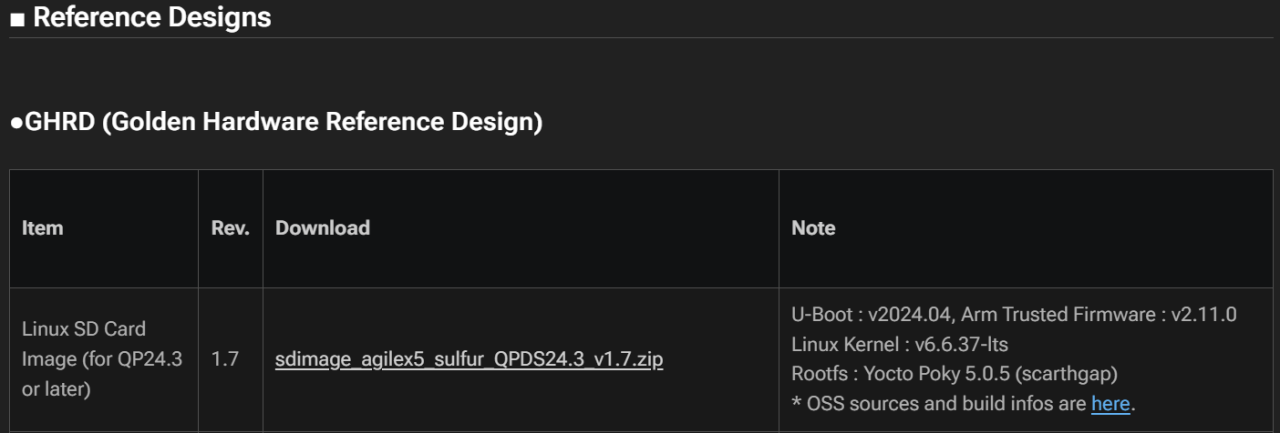
下載內容如下
File name (xxx is variable) | Summary |
|---|---|
README.EN / README.JP | Text of the original source tree location information and build instructions |
arm-trusted-firmware-xxx.tgz | Arm Trusted Firmware (ATF) source tree |
u-boot-socfpga-xxx.tgz | Source tree of U-Boot |
linux-socfpga-xxx.tgz | Linux kernel/driver source tree |
poky-build-xxx.tgz | Archive of configuration and recipes for RootFS (Yocto Poky) build |
poky-socfpga-sources-xxx.tgz | Archive of OSS source tree included in RootFS (*1) |
(*1) Because the file size is large, you may need to download it separately. (See README)
- 3.建立Arm Trusted Firmware (ATF)
| export PATH=`pwd`/gcc-arm-11.2-2022.02-x86_64-aarch64-none-linux-gnu/bin:$PATH export ARCH=arm64 export CROSS_COMPILE=aarch64-none-linux-gnu- |
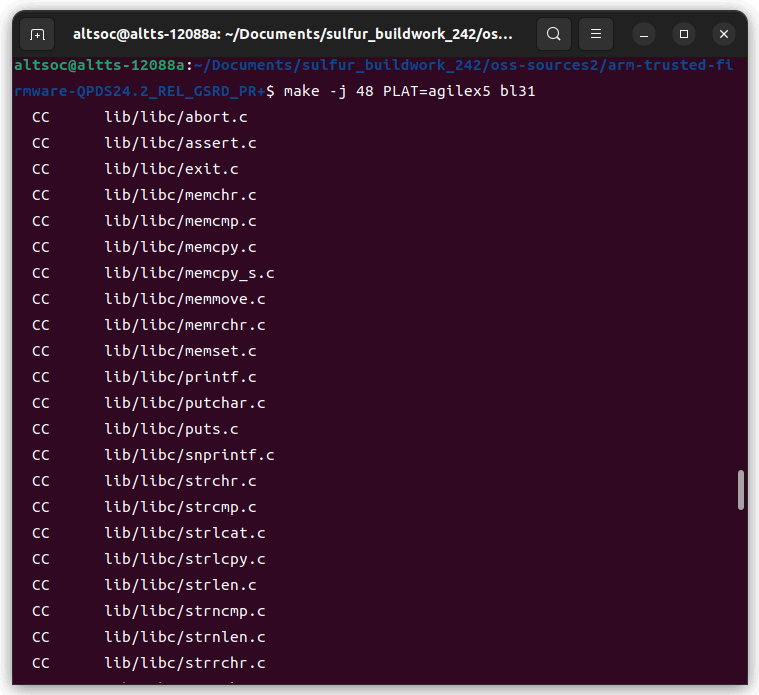
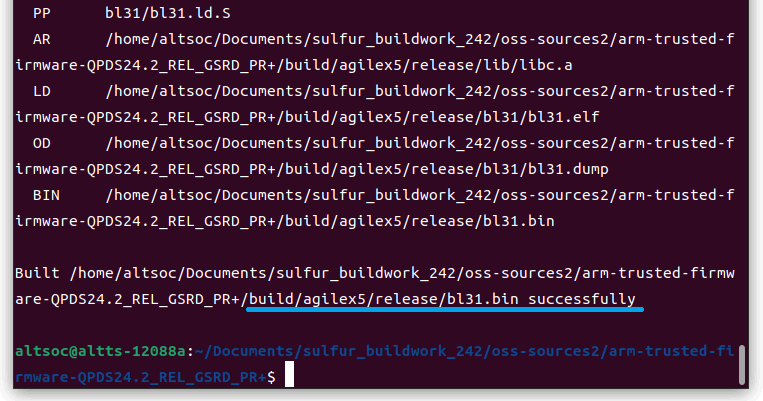
建構ATF
| make -j 48 PLAT=agilex5 bl31 |
- 4.建構SSBL(U-Boot)和FSBL(U-Boot SPL)
| tar xf u-boot-socfpga-xxx.tgz cd u-boot-socfpga-xxx |
將之前建構的ATF(bl31.bin)連結至U-Boot Source tree
| ln -s . /arm-trusted-firmware-xxx/build/agilex5/release/bl31.bin . |
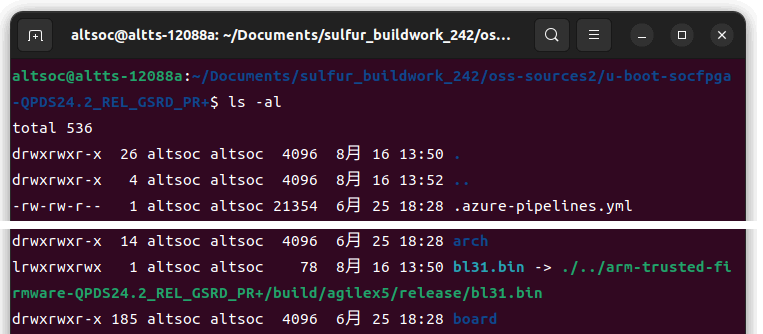
設置連結後,須確保使用ls -al命令正確識別目標
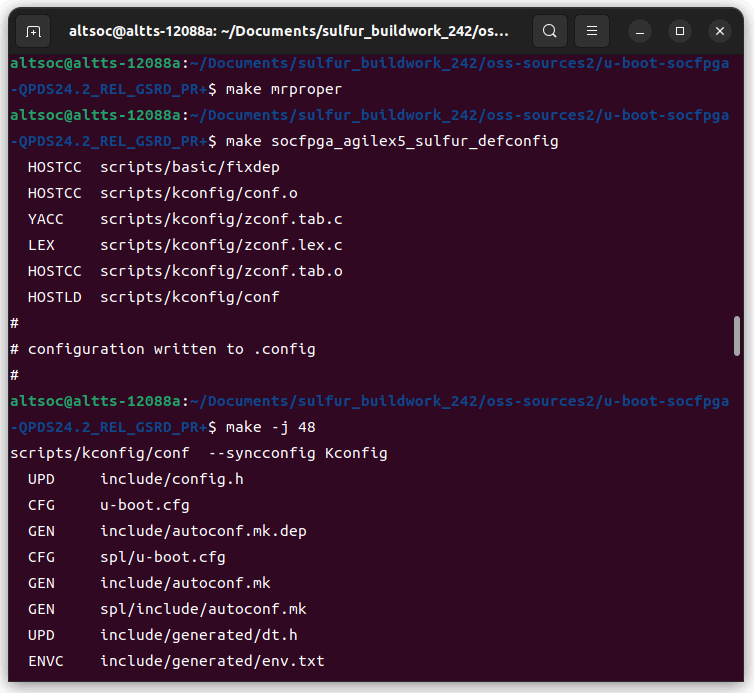
| make mrproper make socfpga_agilex5_sulfur_defconfig make -j 48 |
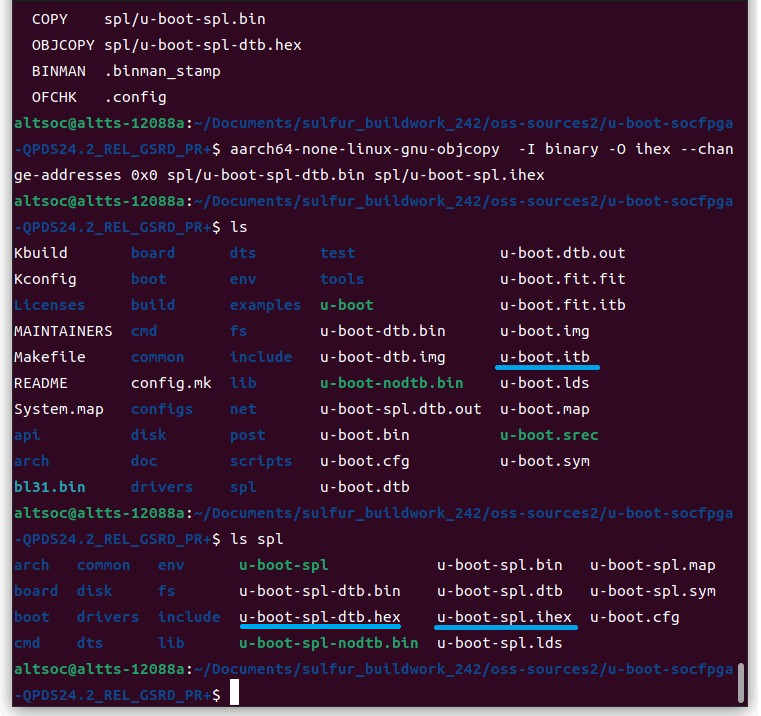
對於FSBL,使用HEX格式檔案,他會在make時自動生成(spl/u-boot-spl-dtb.hex),但也可透過以下命令手動轉換
| aarch64-none-linux-gnu-objcopy -I binary -O ihex --change-addresses 0x0 spl/u-boot-spl-dtb.bin spl/u-boot-spl.ihex |
*注意:自動生成與手動生成是相同的,後者為Quartus 24.2之前設計使用的舊程式
- 5.建構Linux kernel/driver
| tar xf linux-socfpga-xxx.tgz cd linux-socfpga-xxx |
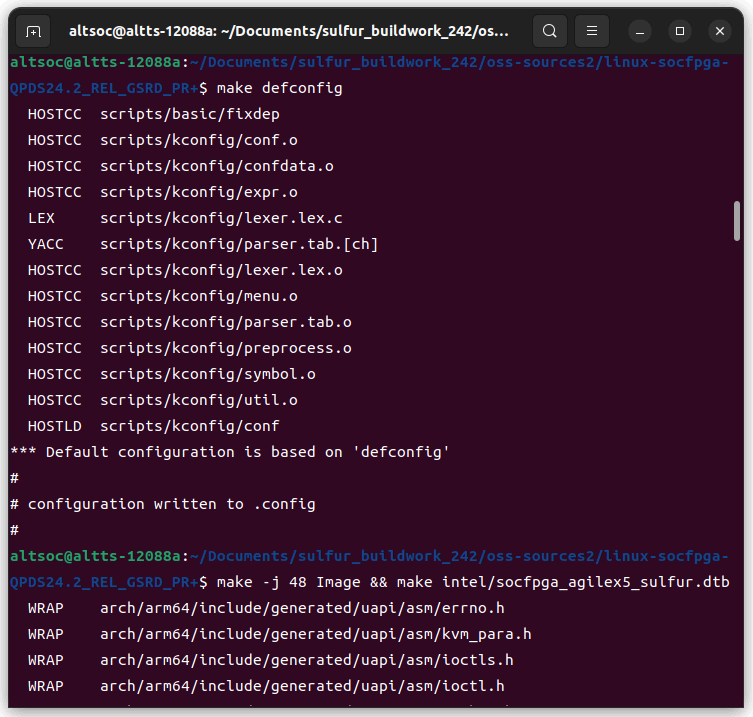
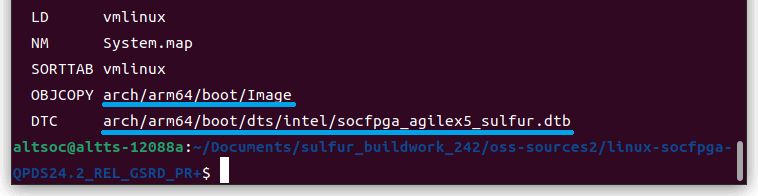
建構Linux kernel/device tree
| make defconfig make -j 48 Image && make intel/socfpga_agilex5_sulfur.dtb |
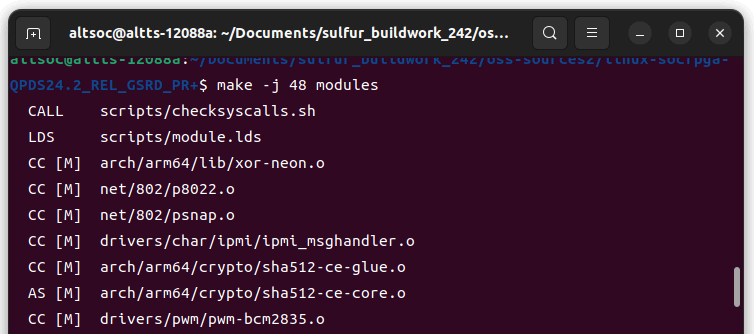
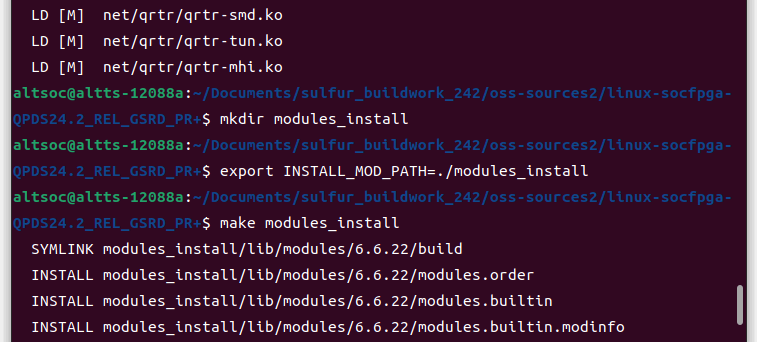
| make -j 48 modules mkdir modules_install export INSTALL_MOD_PATH=./modules_install make modules_install |
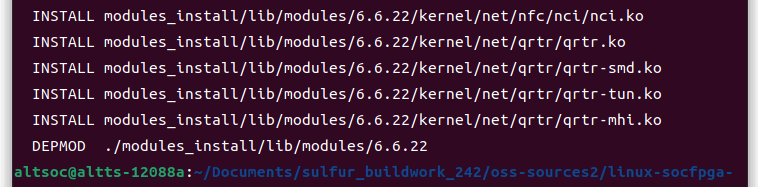
| cd modules_install tar czf modules_sulfur_xxx.tgz lib |
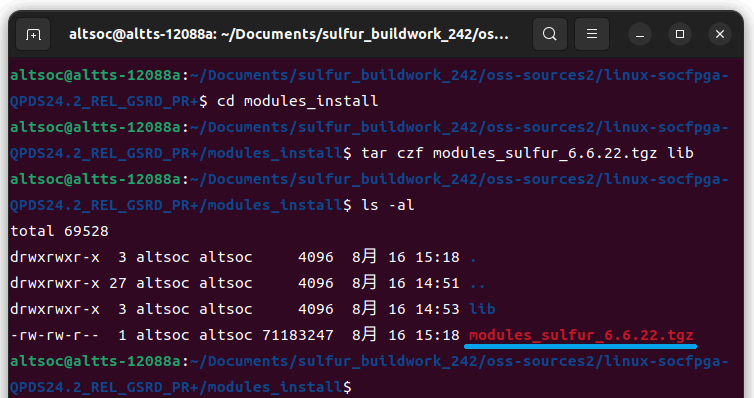
- 6.建構結果
Deliverables | File name (xxx is optional) | Summary |
|---|---|---|
FSBL | u-boot-spl-dtb.hex or u-boot-spl.ihex | ihex image of U-Boot SPL, used in combination with configuration data to be written to SDM (* see appendix) |
SSBL & ATF | u-boot.itb | .itb file containing the U-Boot and ATF. Stored on the FAT partition of the boot SD card. |
Linux kernel | Image | Linux kernel image. Stored on the FAT partition of the SD card for boot. |
Linux Device Tree | socfpga_agilex5_sulfur.dtb | Linux device tree Blob, stored in the FAT partition of the boot SD card. |
Linux driver Module | modules_sulfur_xxx.tgz | Linux driver module archive. Extracted and used under /lib/modules in the rootfs partition of the boot SD card. |
- 7.Create SD Card
- 7-1.SD Card 內容
Outside the SD Card (Stored in QSPI Flash)
- Phase 1 FPGA Image (.jic)
- Phase 1 FPGA Image
- U-Boot SPL Hex/Binary (New)
SD Card: Partition 1
- Linux Kernel Image (Image)
- Phase 2 FPGA Image (ghrd.core.rbf)
- Device Tree Blob (socfpga_agilex_socdk.dtb)
- u-boot.itb
- U-Boot Image
- Trusted Firmware-A (New! Described as ATF in articles on RocketBoards.org)
- Device Tree File
SD Card: Partition 2
- Rootfs Image
- 7-2.硬體設計
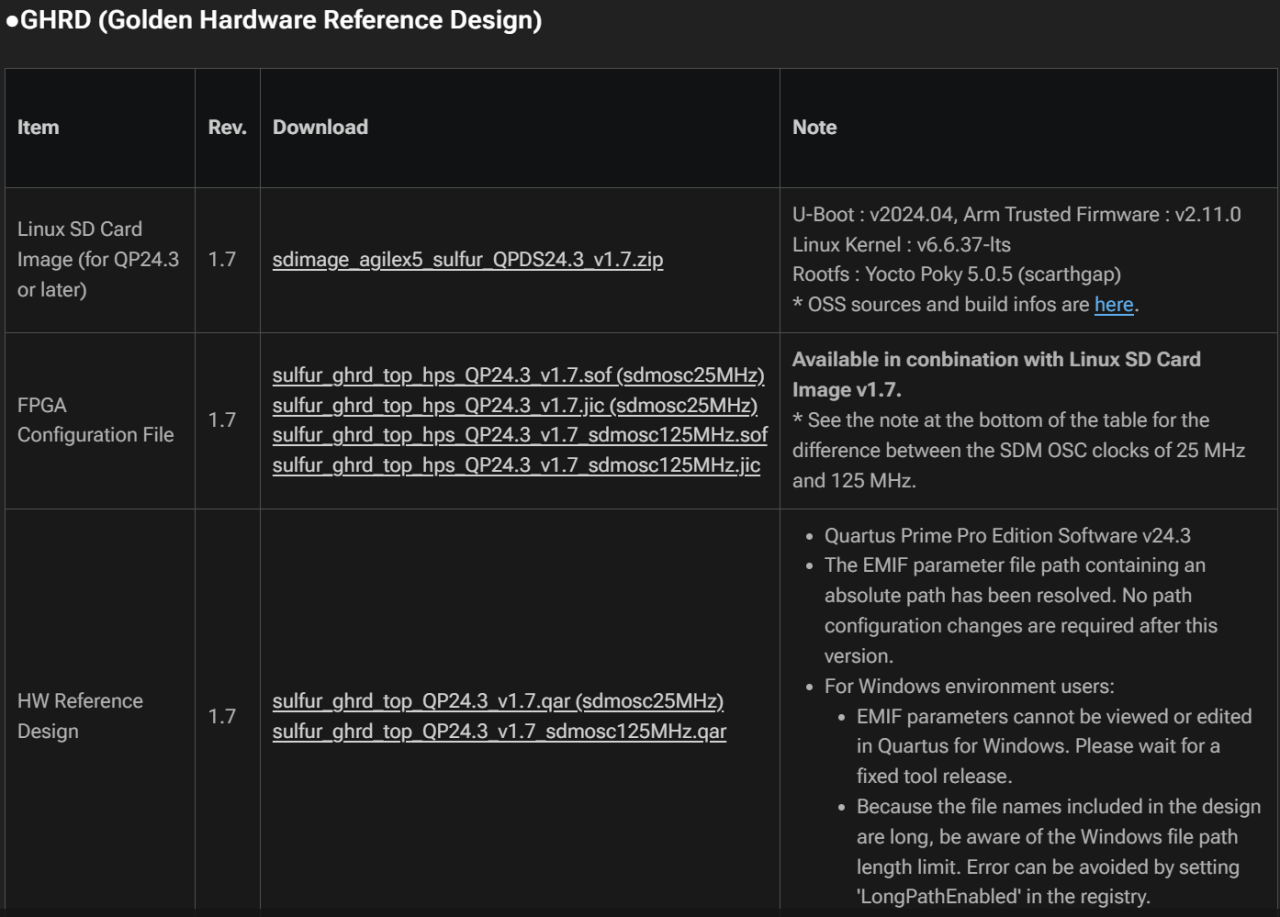
- 下載GHRD Configuration File,包含燒錄檔案以及完整Project
- 7-3.Rootfs
本文檔使用為Ubuntu 20.04,可至以下連結下載。
| cd $LINUX_BIN/a53 wget https://cdimage.ubuntu.com/ubuntu-base/releases/20.04/release/ubuntu-base-20.04.5-base-arm64.tar.gz |
*檔案位置請根據自己需求放置
- 7-4.準備SD Card Image
以下請根據自己檔案位置將其複製到同個資料夾。
| cd $TOP_FOLDER sudo rm -rf sd_card && mkdir sd_card && cd sd_card wget https://releases.rocketboards.org/release/2020.11/gsrd/tools/make_sdimage_p3.py chmod +x make_sdimage_p3.py mkdir sdfs && cd sdfs cp $TOP_FOLDER/u-boot-socfpga/u-boot.itb . cp $LINUX_BIN/a53/Image . cp $LINUX_BIN/a53/socfpga_agilex_socdk.dtb . cp $TOP_FOLDER/ghrd.core.rbf . cd .. |
| mkdir rootfs-ubuntu && cd rootfs-ubuntu sudo tar xf $LINUX_BIN/a53/ubuntu-base-20.04.5-base-arm64.tar.gz sudo rm -rf lib/modules/* sudo cp -r $LINUX_BIN/a53/modules/* lib/modules/ cd .. ln -s rootfs-ubuntu rootfs |
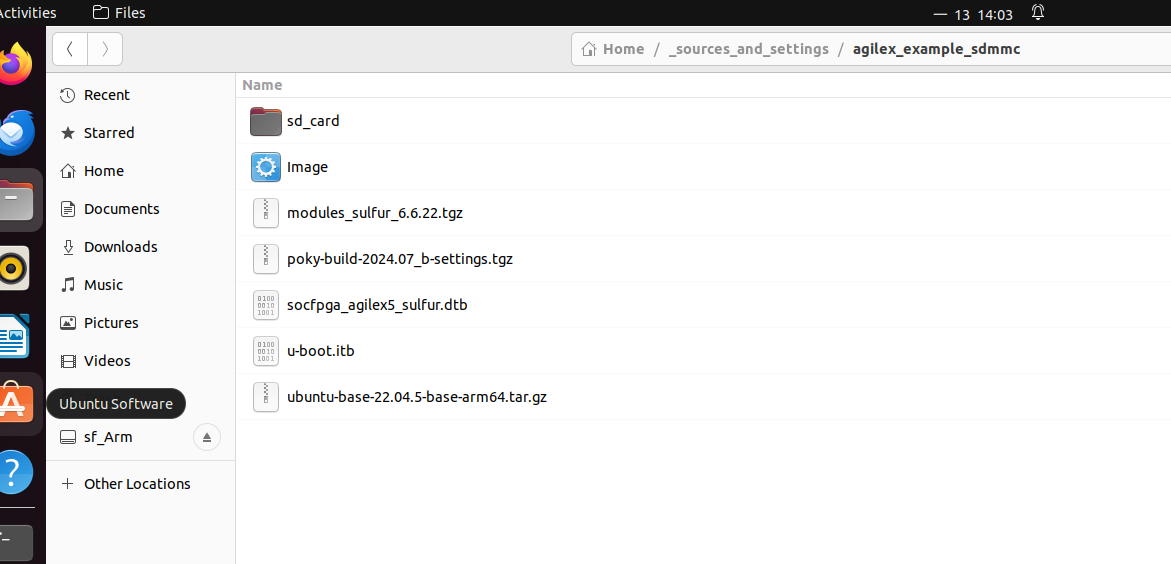
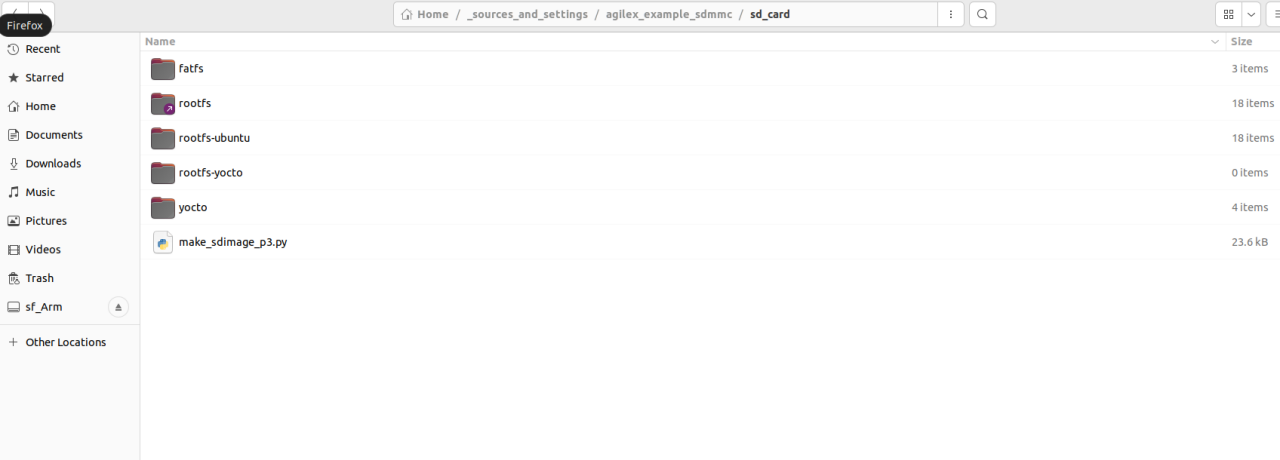
| sudo python3 make_sdimage_p3.py -f \ -P sdfs/*,num=1,format=fat32,size=56M \ -P rootfs/*,num=2,format=ext3,size=800M \ -s 856M \ -n sdcard.img cd .. |
- 7-5. 寫入SD Card
| $ sudo dd if=sdcard.img of=/dev/<your device path> status=progress |
Winodes使用Win32DiskImager
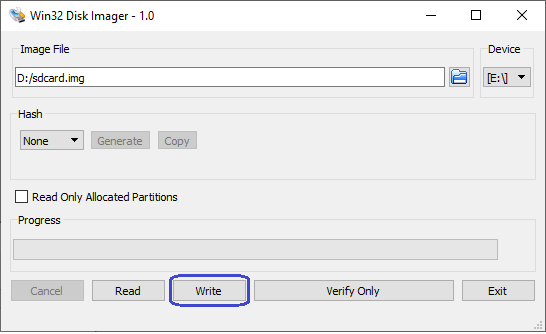
- 7-6. 自訂SD Card
| $ ls /dev/sd* # Before inserting the SD card sda sda1 sda2 sda3 $ ls /dev/sd* # After inserting the SD card sda sda1 sda2 sda3 sdb sdb1 sdb2 $ mkdir mnt # Create directory for mounting $ sudo mount /dev/sdb2 mnt |
在上面的例子中,sdb 是 SD 卡磁碟。由於 sdb2 對應於文件系統,因此我們將配置這部分。
詳細可以參考以下。
Cyclone® V SoC Linux Construction Procedure: 7. Building the Root File System (rootfs)
| sudo apt install qemu-user-static binfmt-support |
安裝後,複製必要的檔並掛載 chroot 時方便的子目錄。
| sudo cp -b /etc/resolv.conf mnt/etc/resolv.conf sudo cp /usr/bin/qemu-aarch64-static mnt/usr/bin sudo mount -t proc /proc mnt/proc sudo mount -t sysfs /sys mnt/sys sudo mount -o bind /dev mnt/dev sudo mount -o bind /dev/pts mnt/dev/pts sudo chroot mnt |
| chmod 1777 /tmp apt clean && apt update apt install -y vim git parted iproute2 netplan.io iputils-ping network-manager isc-dhcp-client kmod sudo openssh-server systemd |
使用者以及密碼配置
| passwd adduser agilex usermod -aG sudo agilex |
網路配置
| vim /etc/ssh/sshd_config # uncomment PasswordAuthentication yes cat << EOF > /etc/netplan/00-default.yaml network: version: 2 renderer: networkd ethernets: eth0: dhcp4: yes EOF |
完成後,退出並卸載每個目錄。
| exit # Exit chroot sudo umount mnt/proc sudo umount mnt/sys sudo umount mnt/dev/pts sudo umount mnt/dev sudo umount mnt |
- 8. Boot Up
- 8-1. 接上Cable並調整SW1
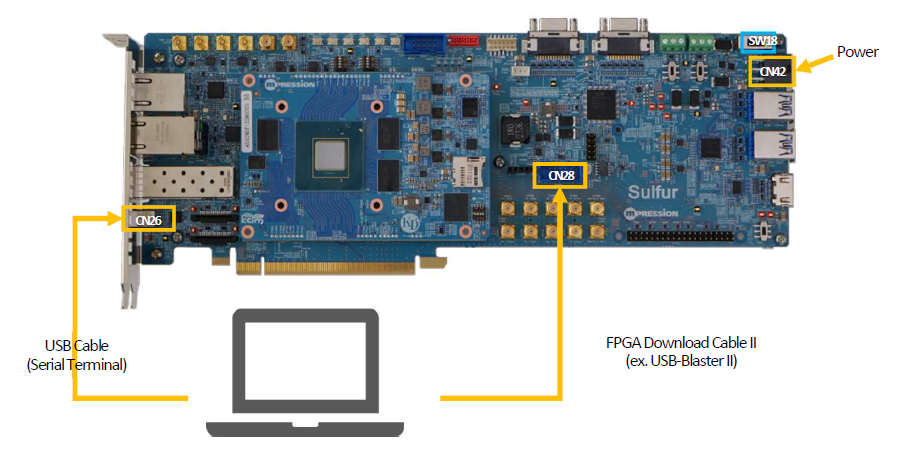
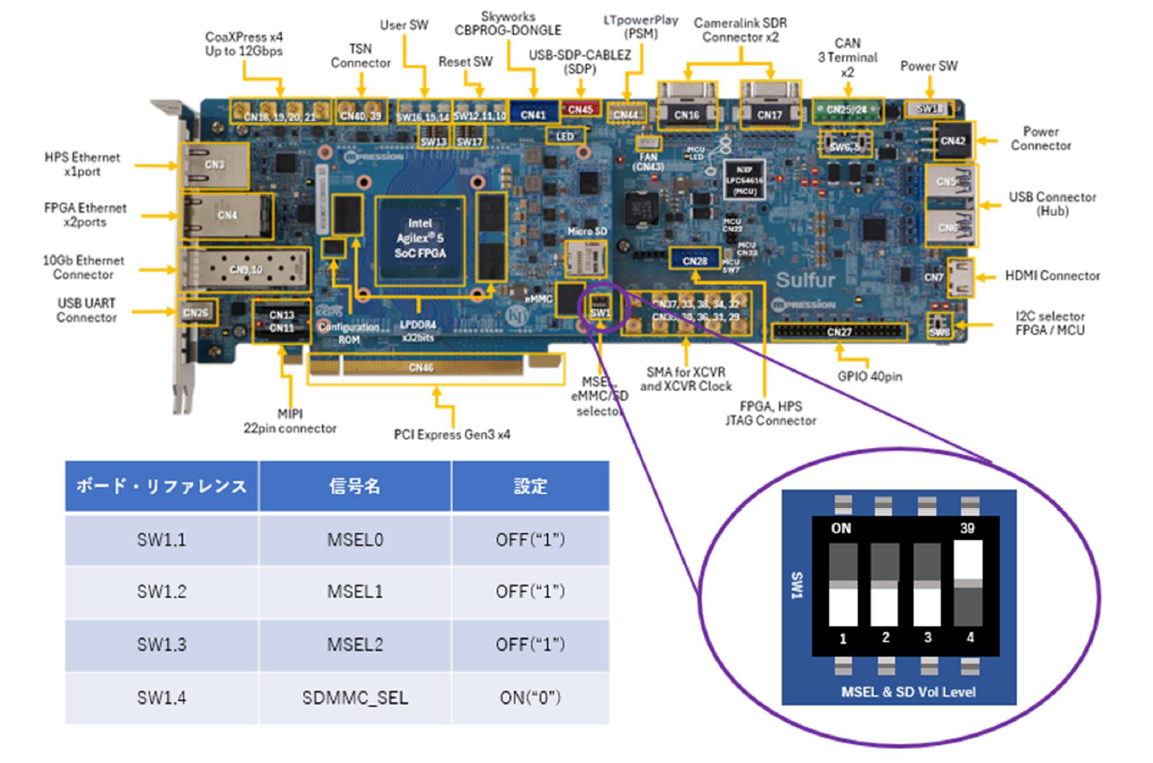
- 8-2. Prepare serial communication Console
Select setup => Serial port
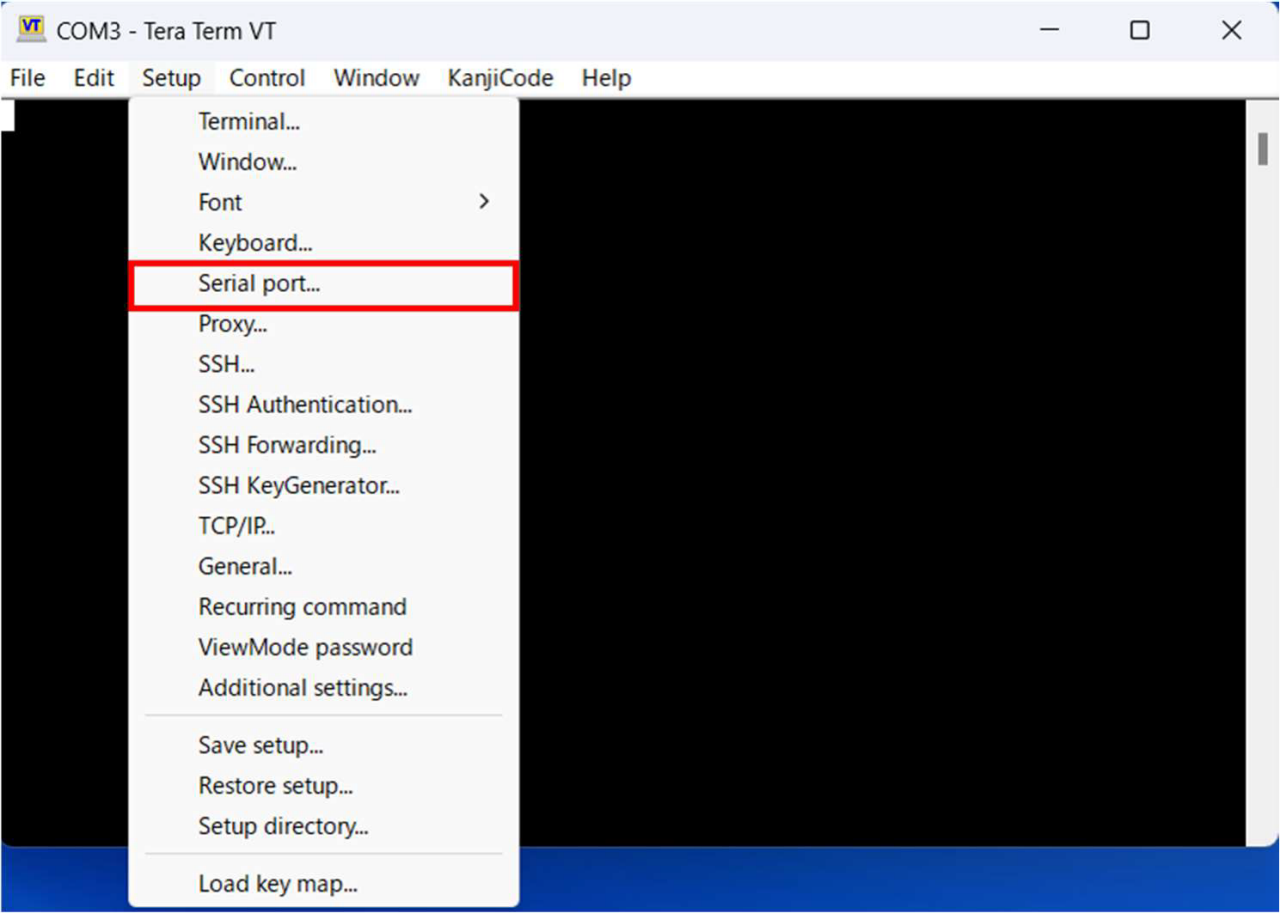
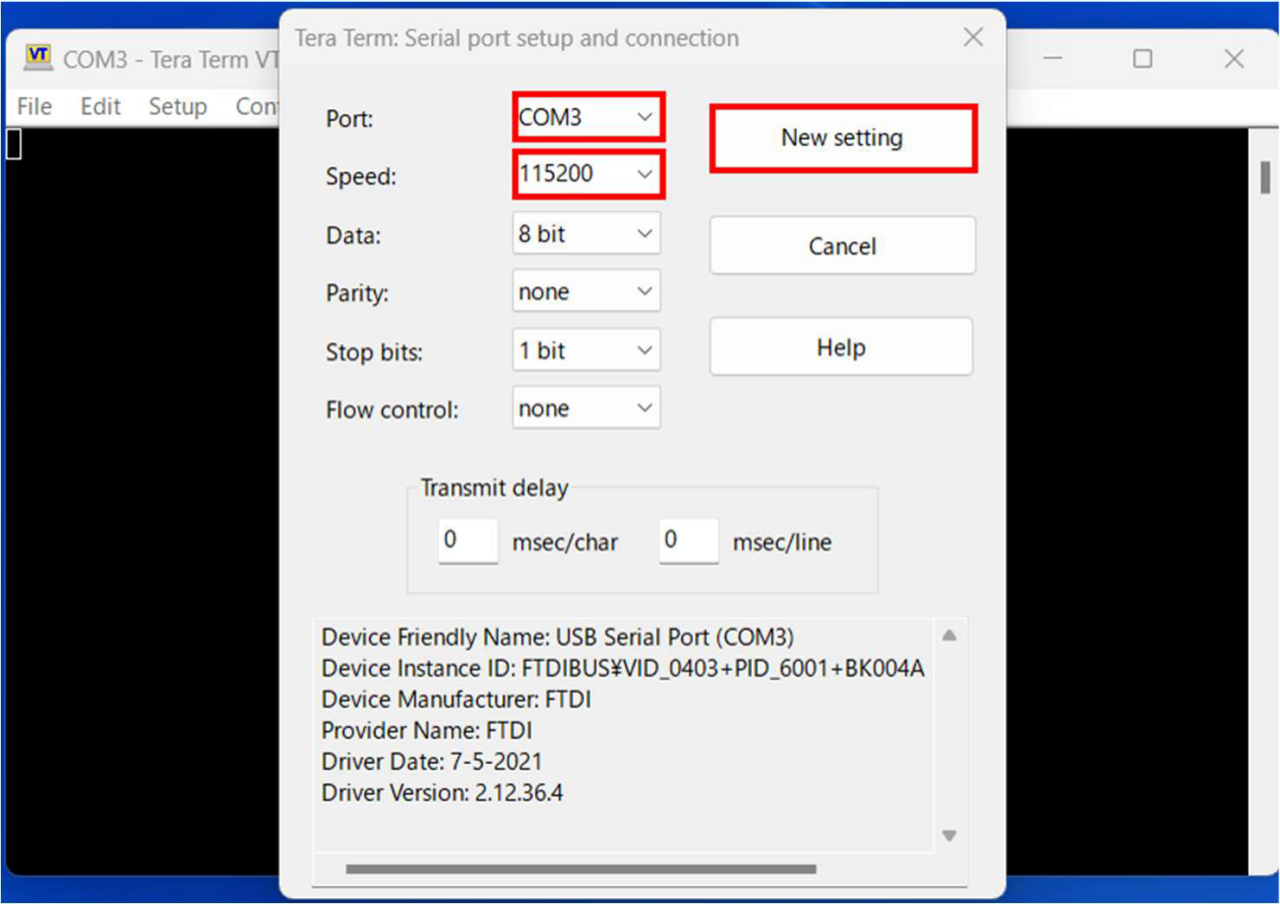
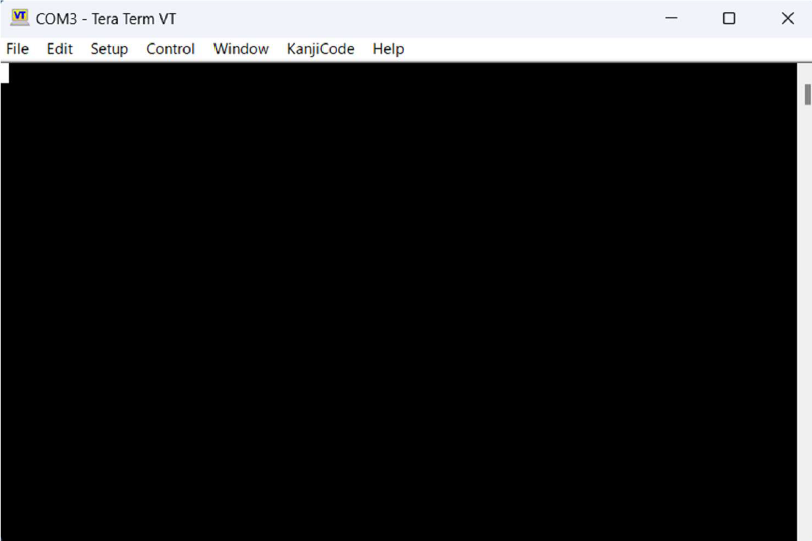
Tera Term Waiting for Boot
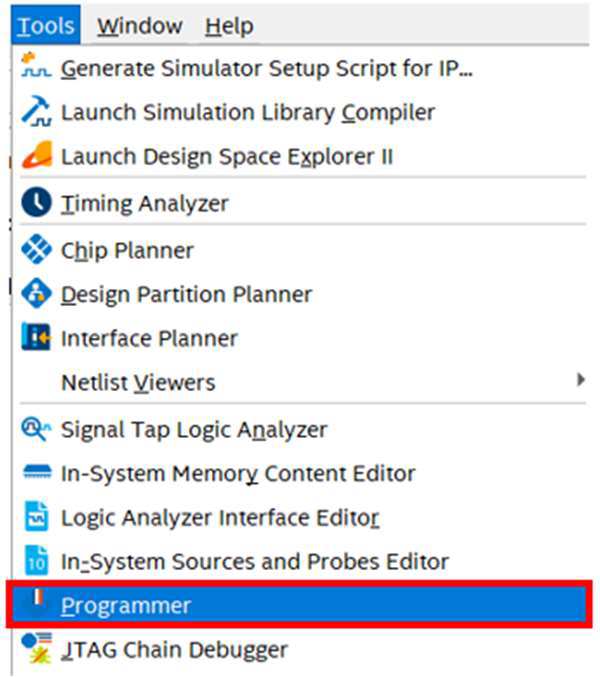
- 8-3. Prograimming .sof
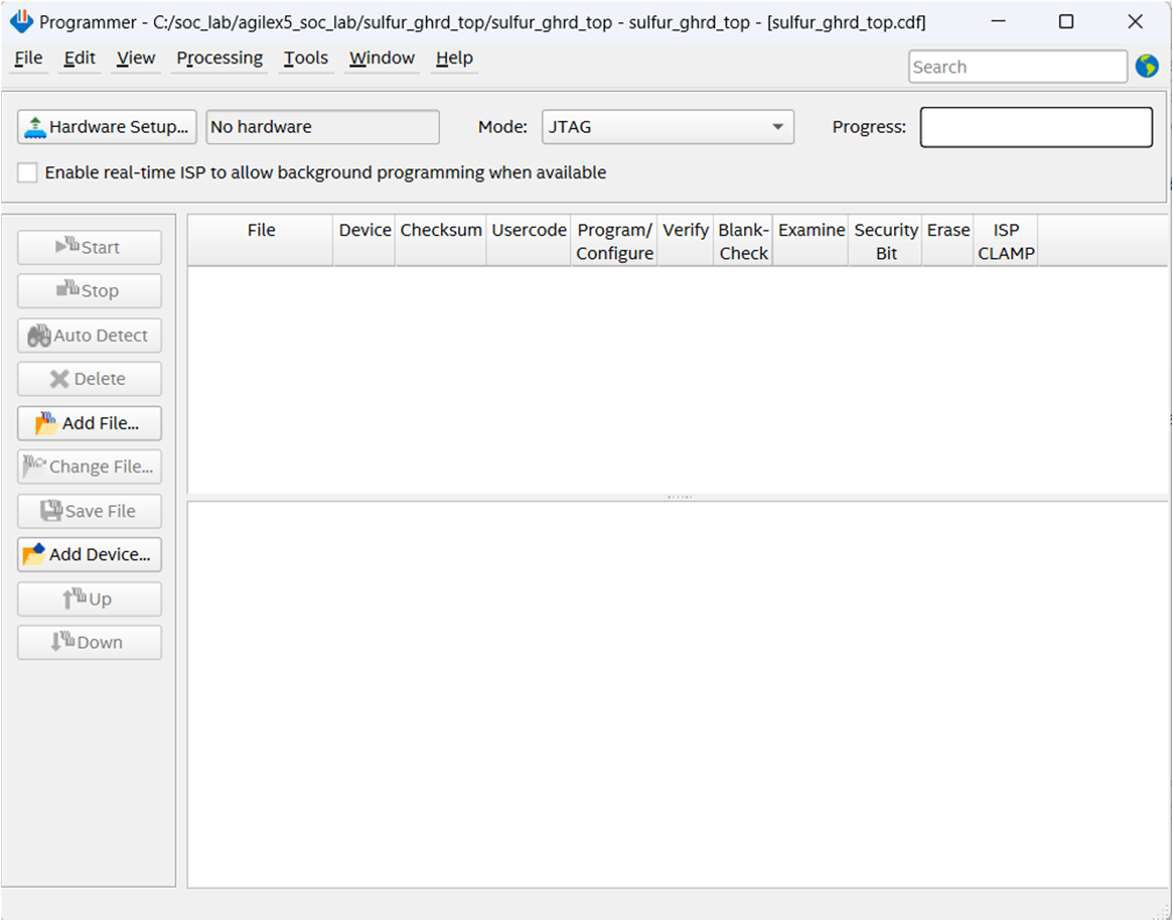
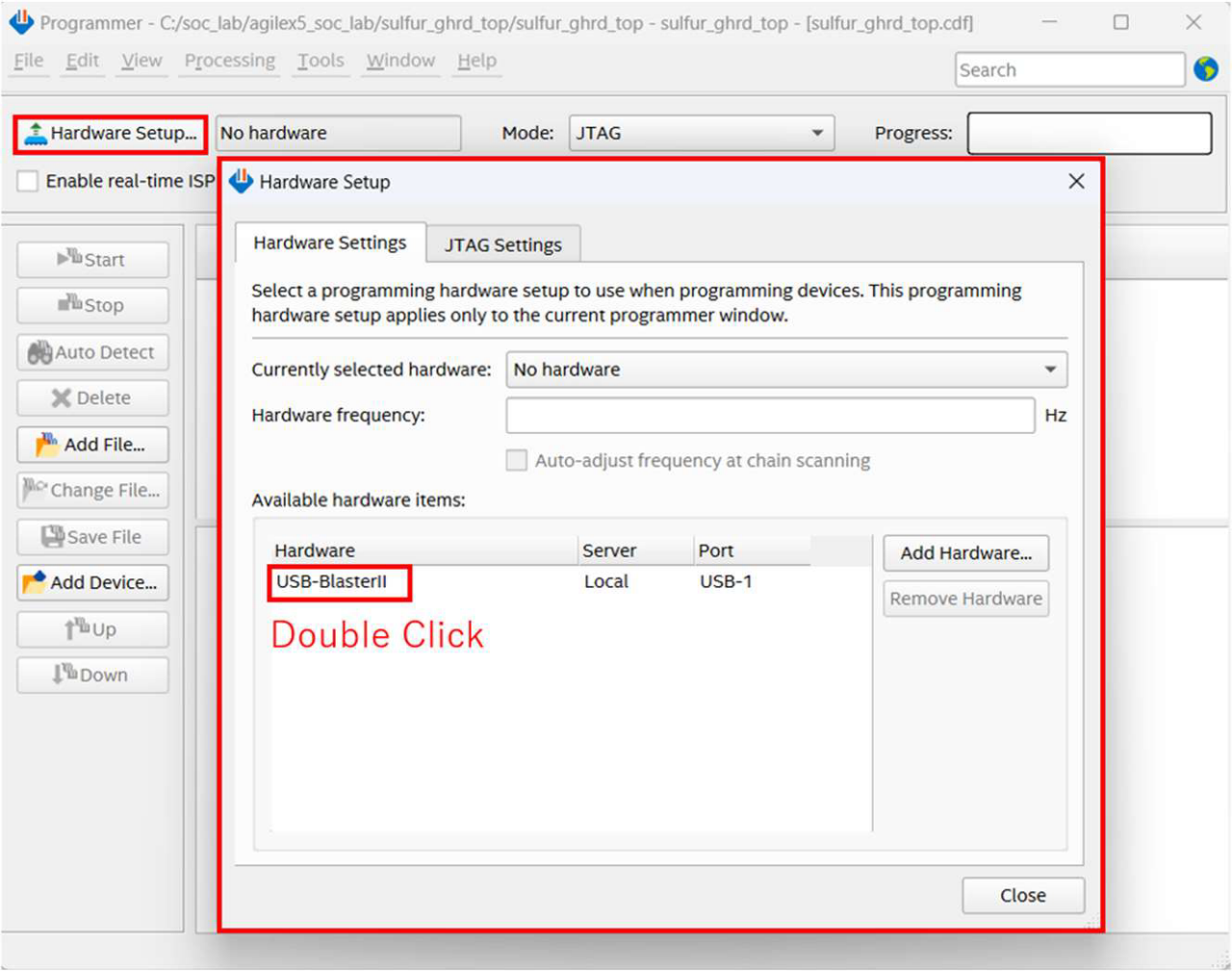
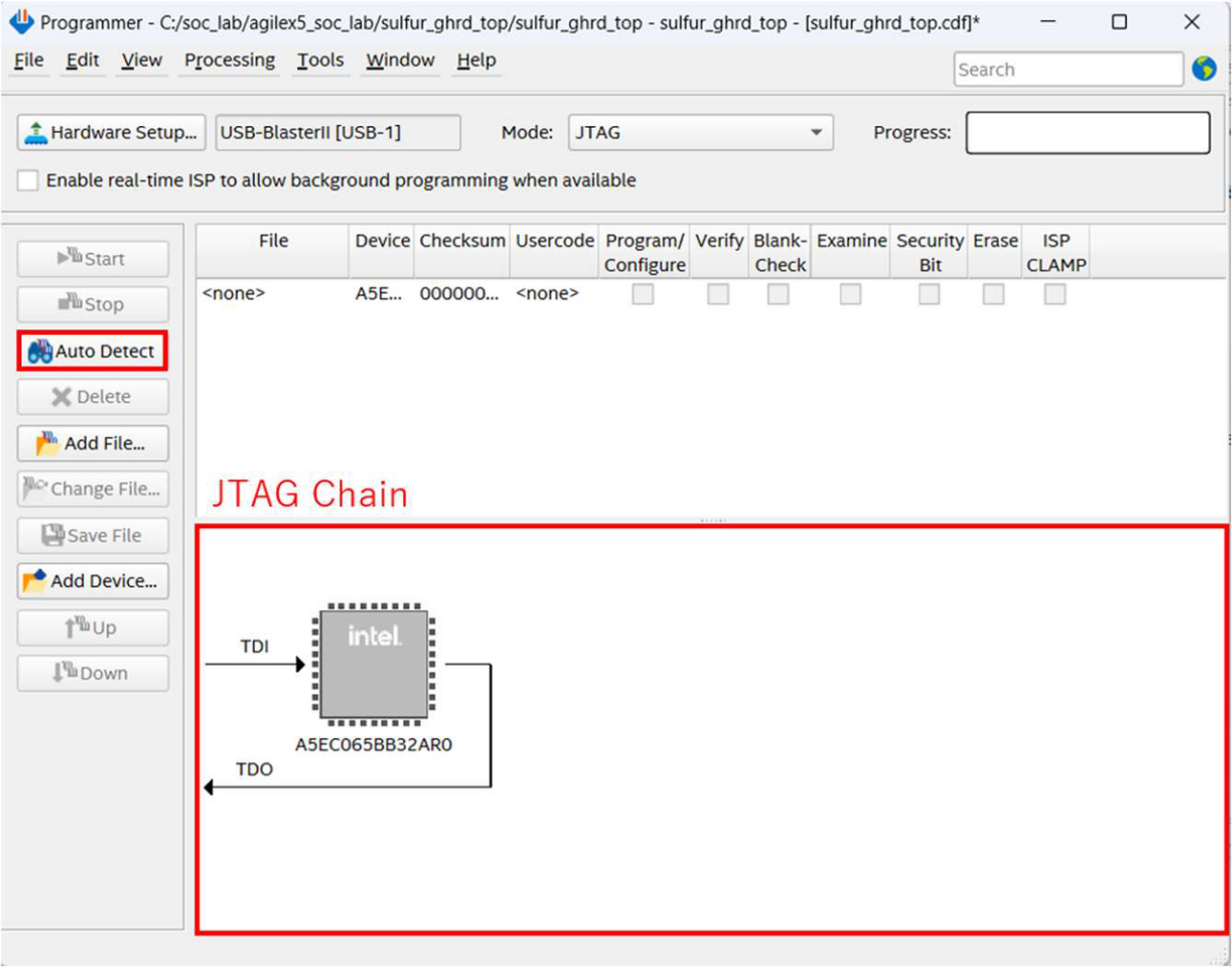
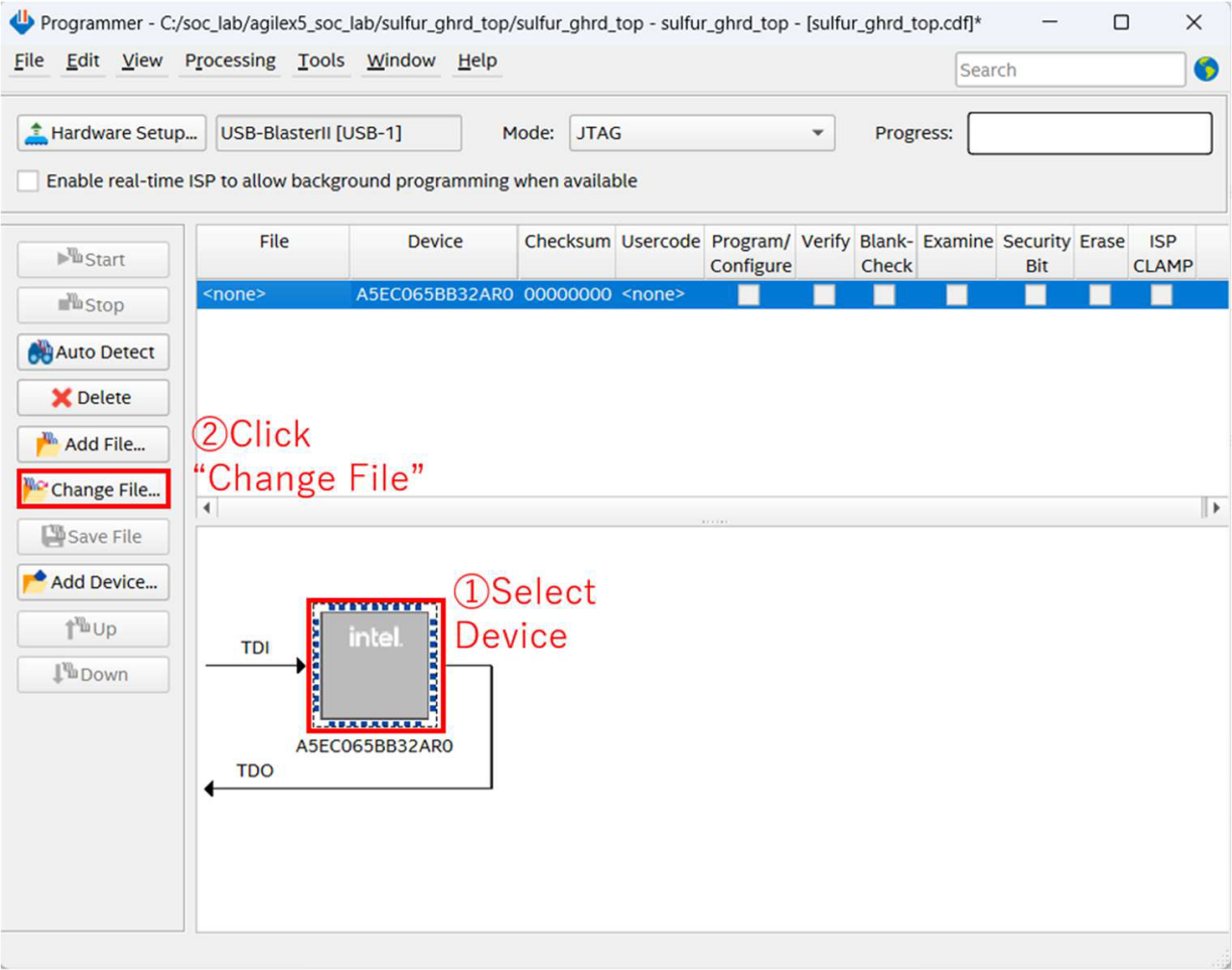
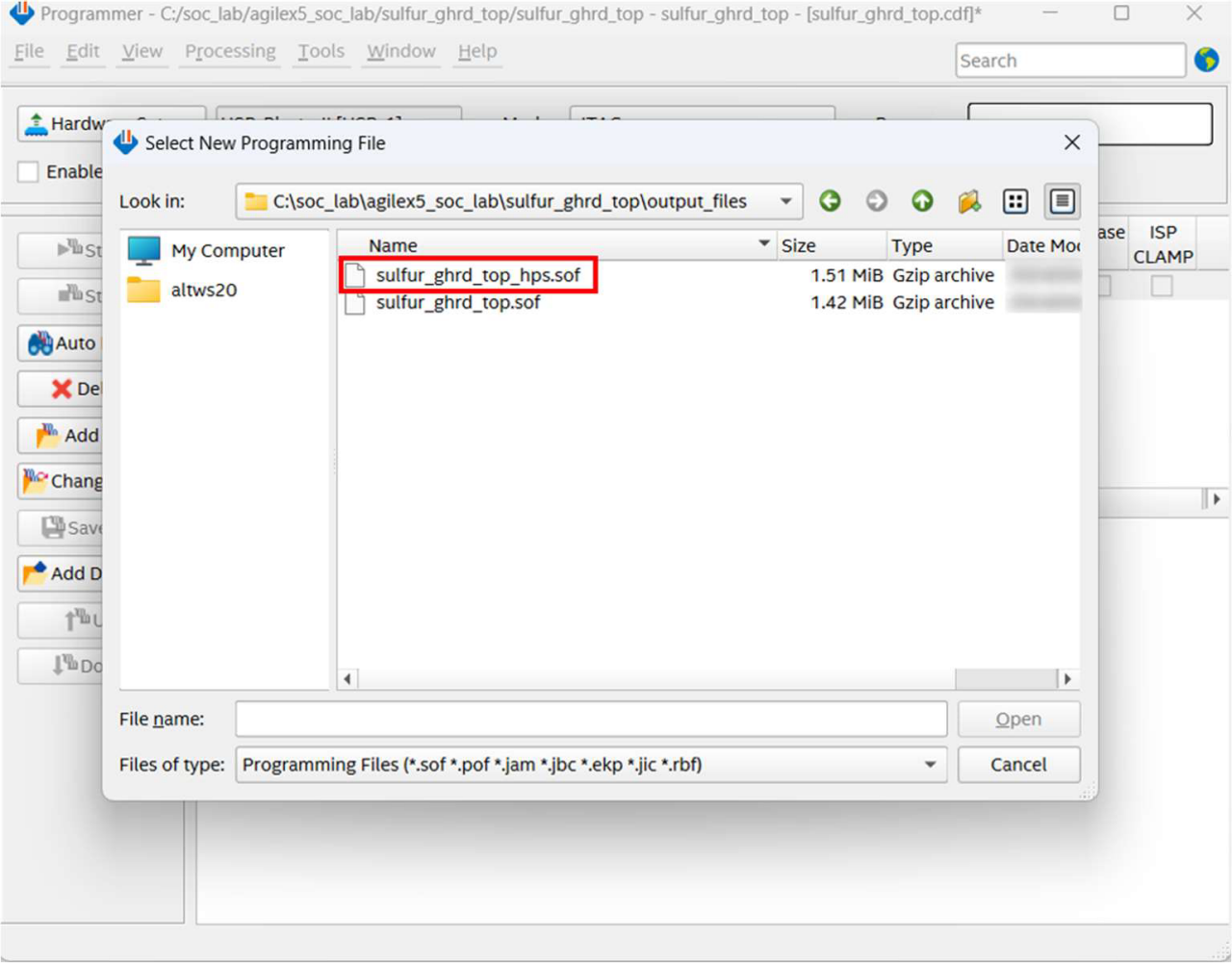
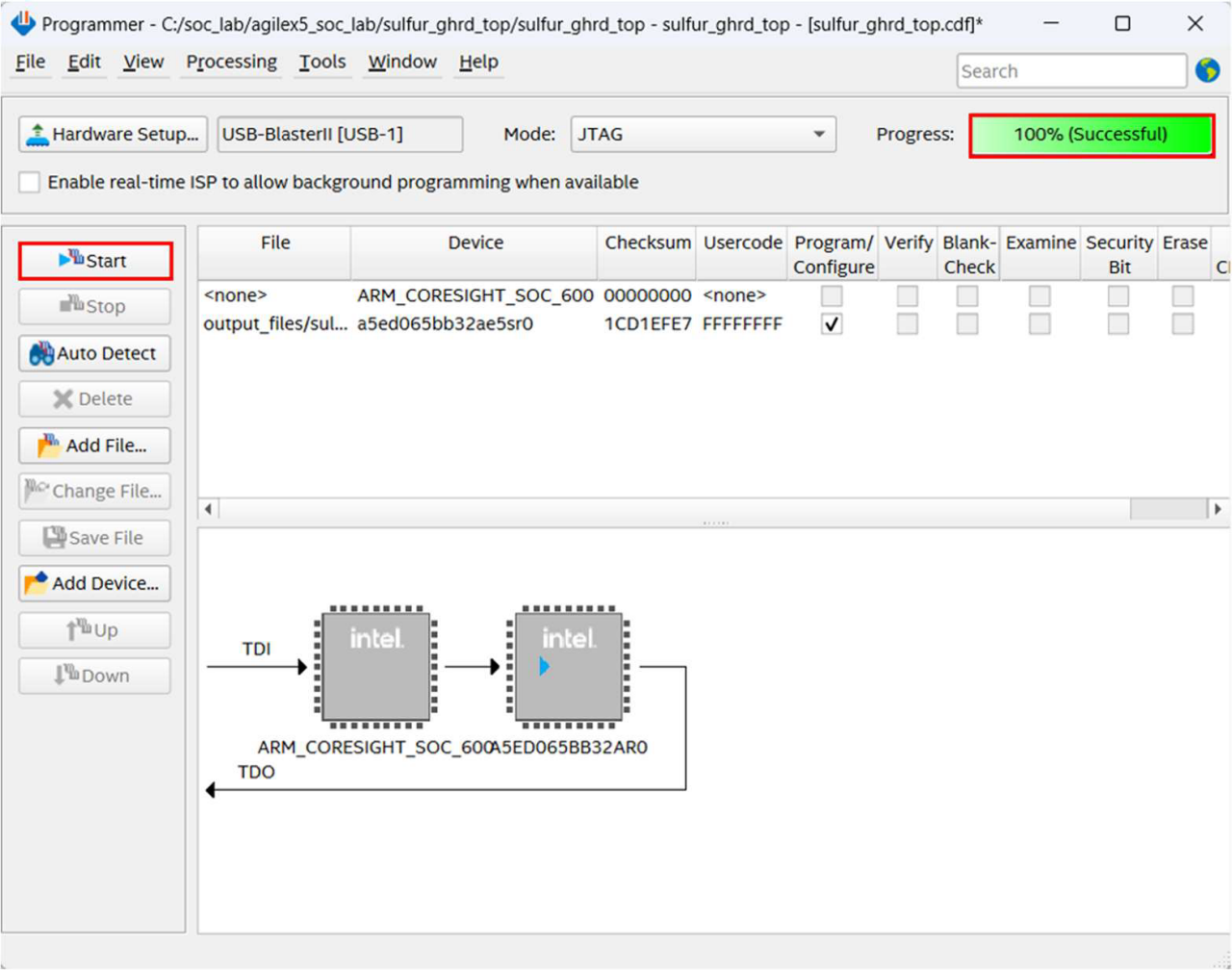
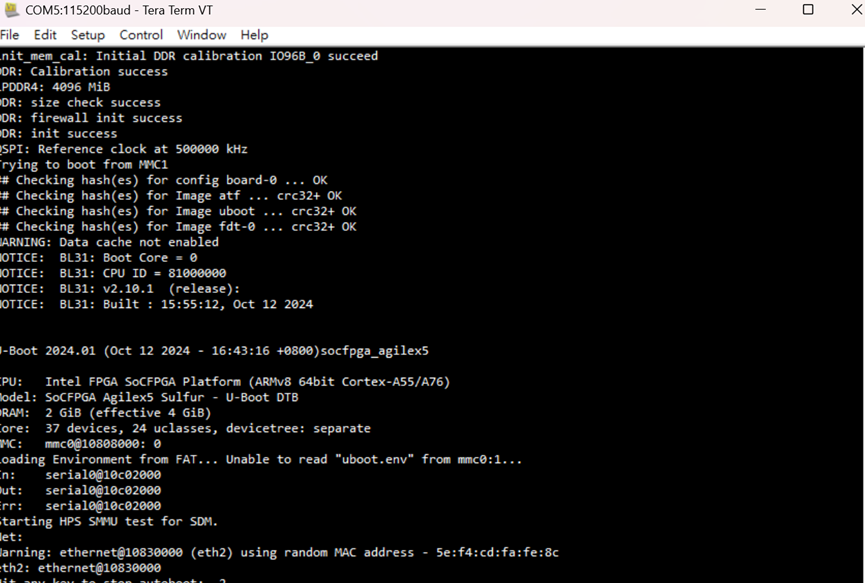
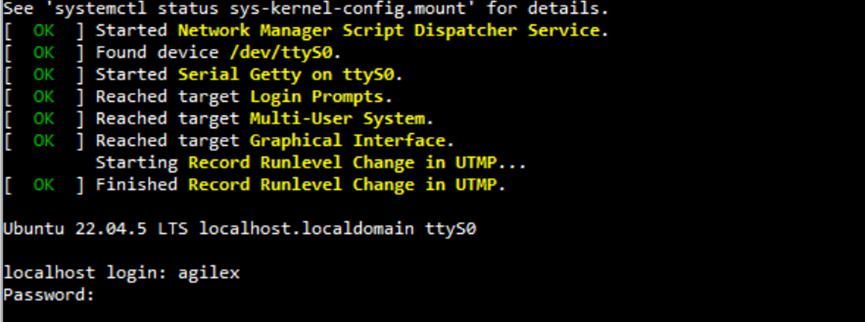
燒錄完畢後,TERA開始執行並顯示以下畫面,這表示已完成並啟動。
- 參考資料
- https://www.rocketboards.org/foswiki/Documentation/BuildingBootloaderForAgilex5
- https://www.rocketboards.org/foswiki/Documentation/MpressionSulfurDevelopmentKitForIntelAgilexR5FPGAESeries
- https://community.intel.com/t5/Intel-SoC-FPGA-Embedded/Creating-an-SD-Card-for-the-Intel-Agilex-7-SoC/m-p/1576194#M2507
You may also want to know
-
2025年5月21日
AI機器人精準動作 感測器Does Matter
本文將著墨於感測器技術在機器人中的應用說明,人體透過視覺、聽覺、觸覺、嗅覺等等各種感官來感知世界,而機器人就透過感測器來實現環境感知以及動作執行過程的即時訊號回饋,讓系統運作流暢。
Macnica Galaxy
Macnica Galaxy
2025
-
2025年4月8日
如何在 Macnica Sulfur Agilex 5 開發套件中構建 Boot Loader、Linux Kernel 和 SD 卡
提供Mpression Sulfur Type-A開發套件建構Boot Loader/Linux Kernel/SD Card的說明。本文說明基於以下連結的操作過程。
Macnica Galaxy
MACNICA GALAXY
2025
-
2021年4月13日
Macnica Galaxy ToGo Board – 茂綸物聯網開源軟體和硬體
有好的創意卻遇到量產的瓶頸 台灣新創產業不乏好的創意,然而邁向商品化、進入市場前卻常遭遇產品無法優化或找不到資源協助量產等問題,導致好的創意最終無法實現。以開發端資源來說,可提供PCB製作技術支援的廠商佔比最多。新創團隊中大約有20%的團隊清楚電路結構,卻有80%團隊只有想法但對電路、電子相關領域不熟悉,確實需要專業平台來幫助找到開發人員、元件、PCB Layout等,才能真正實現產品。ToGo Board便是協助新創團隊來優化產品雛型與開發。
Macnica Galaxy
MACNICA GALAXY
Macnica Galaxy
2021